Math, typeset as you write
Inline notation and display equations, rendered with KaTeX. Keep the formula beside the explanation.
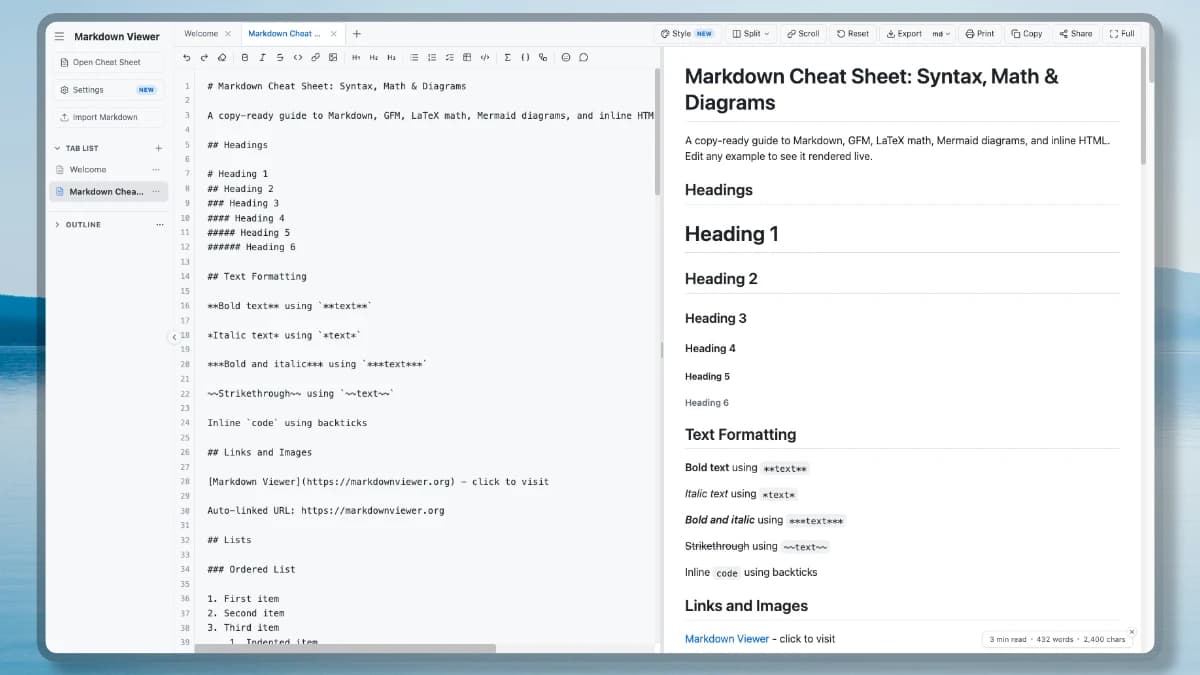
Markdown Viewer gives you a browser-based workspace to write, preview, and export Markdown without installing anything or creating an account. It renders GFM, code, LaTeX math, Mermaid diagrams, and task lists.
Keep several drafts in tabs, adjust the preview, and export or share when the document is ready. Editing and auto-save run in your browser.
Extend your Markdown Viewer workflow with dedicated converters, comparison tools, and diagram editors. Move between tasks without installing extra software.
Markdown Viewer brings the core controls for writing, styling, and delivering a document into one browser workspace.
Edit Markdown on the left and see the rendered document on the right, with optional synchronized scrolling.
Highlight popular programming languages, typeset LaTeX with KaTeX, and render Mermaid diagrams with export controls.
Choose a preview theme, select Google Fonts, adjust page settings, or save reusable CSS templates.
Download Markdown, HTML, PDF, or PNG, print the preview, or copy rendered HTML to another app.
Compress a copy into the URL fragment instead of a document database. Each recipient opens an independent, editable copy.
Open local Markdown files, import a public URL, and keep several documents in tabs for editing or comparison.
Choose from nine themes, search 1,900+ Google Fonts, tune code blocks, write custom CSS, and save reusable style templates.
Read the Style guide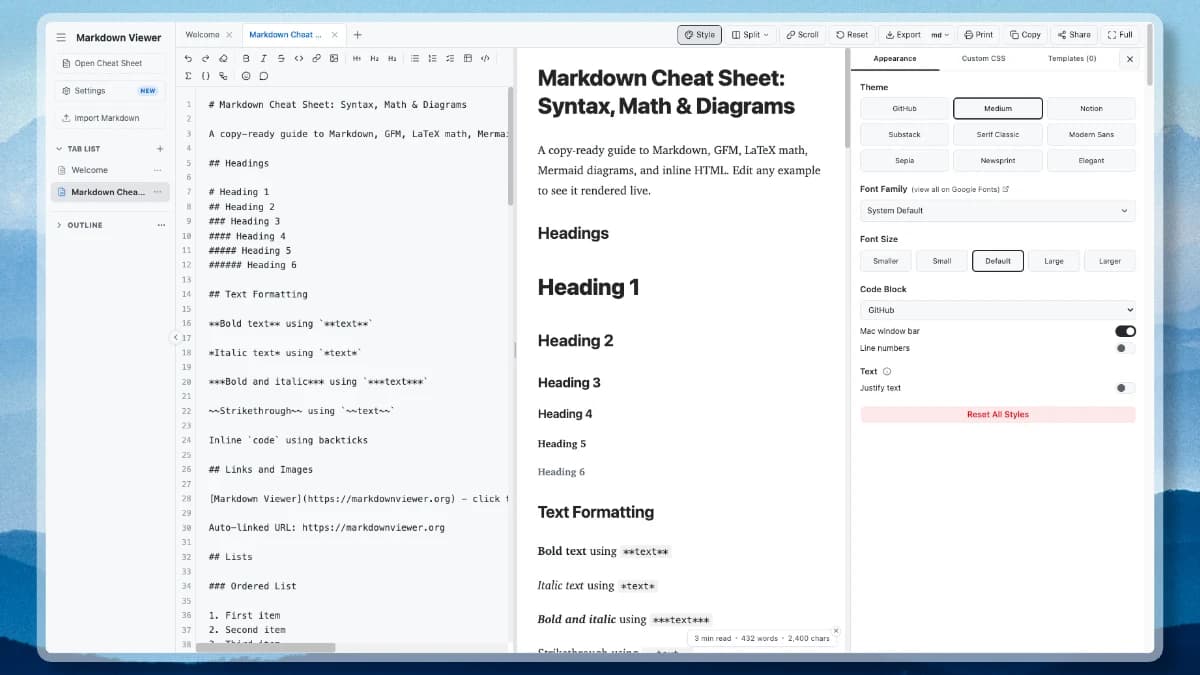
The Markdown Viewer comparison workspace places drafts, translations, or specifications in columns. Each document keeps its own Edit or Preview mode while optional synchronized scrolling holds related sections in view.

Looking for visual line-by-line red/green diffing? Check out our dedicated Markdown Compare Tool to inspect line additions (+), removals (−), and synchronized diff views for two Markdown files.
Equations, diagrams, and highlighted code. Together in the same document.
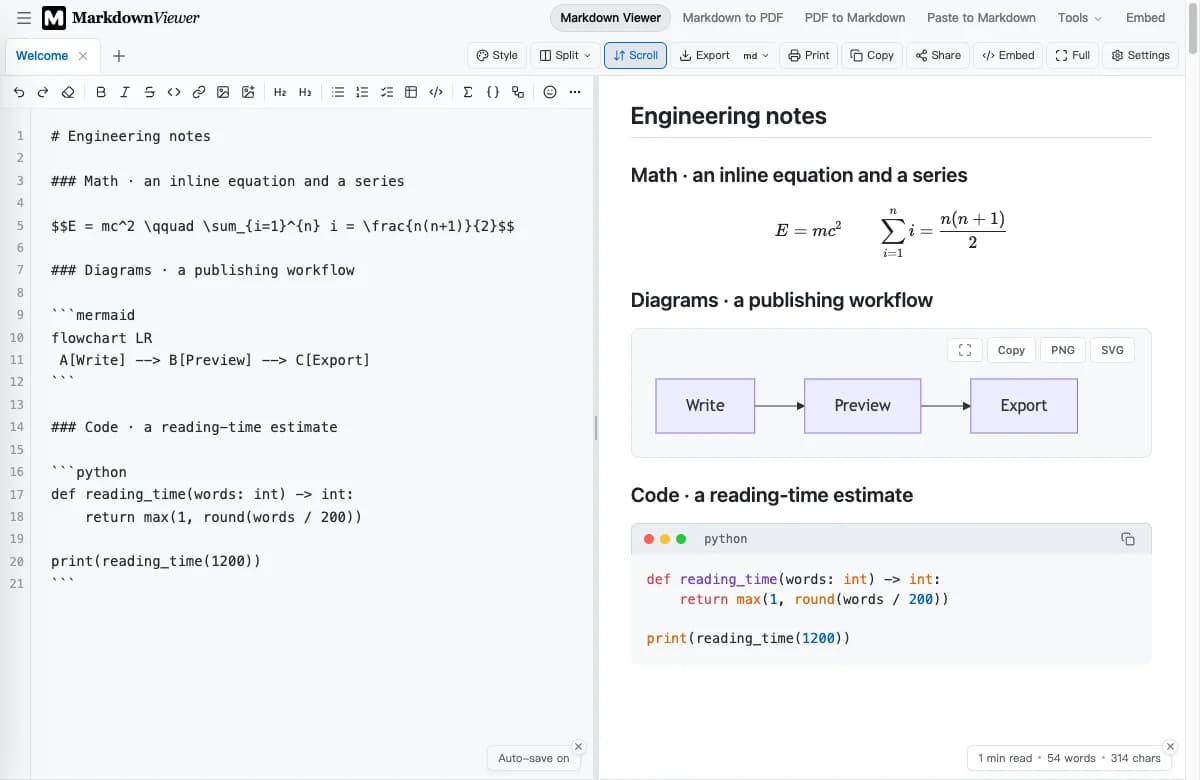
Inline notation and display equations, rendered with KaTeX. Keep the formula beside the explanation.
Turn Mermaid syntax into flowcharts and sequence diagrams. Export the result as SVG or PNG.
Language-aware syntax highlighting, line numbers, and a copy button — built into your document.
Open the free Markdown Viewer, add a document, review the live result, and export when it is ready. No account or installation is required.
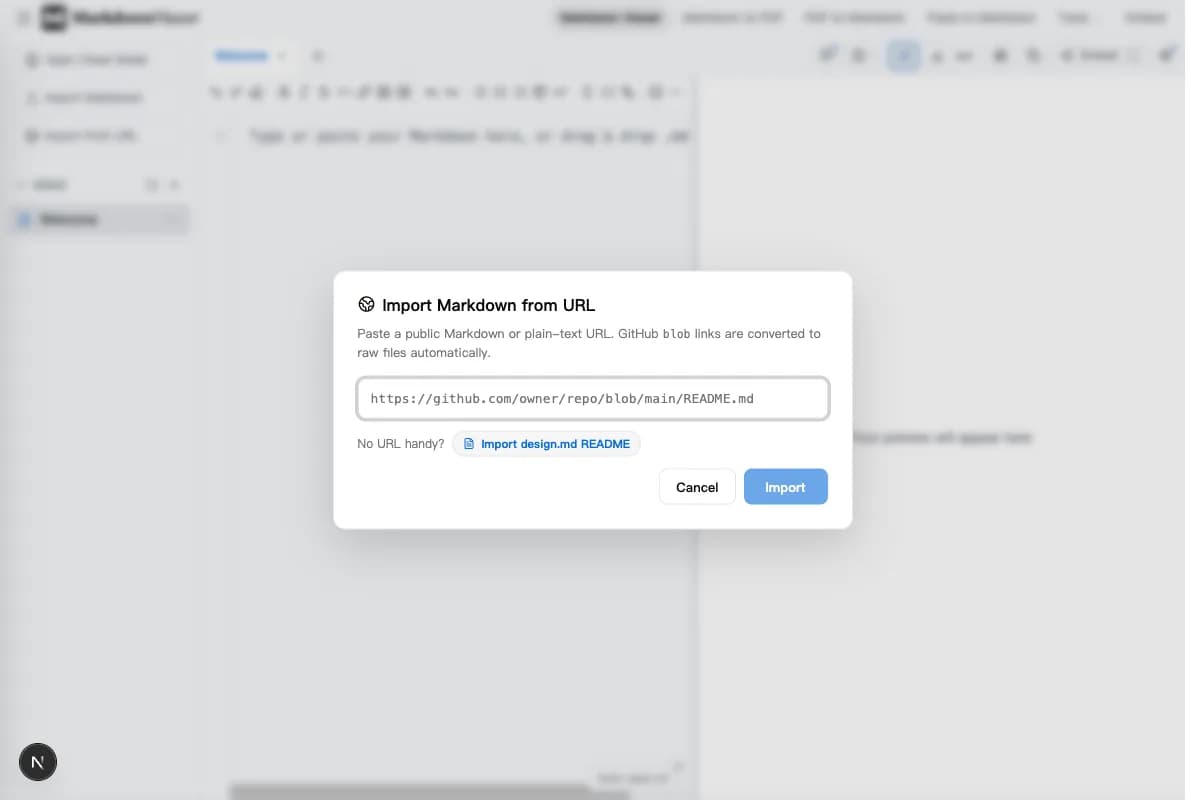
Type or paste Markdown, open a local .md file, or import a public URL such as a GitHub README. Separate tabs keep documents organized.
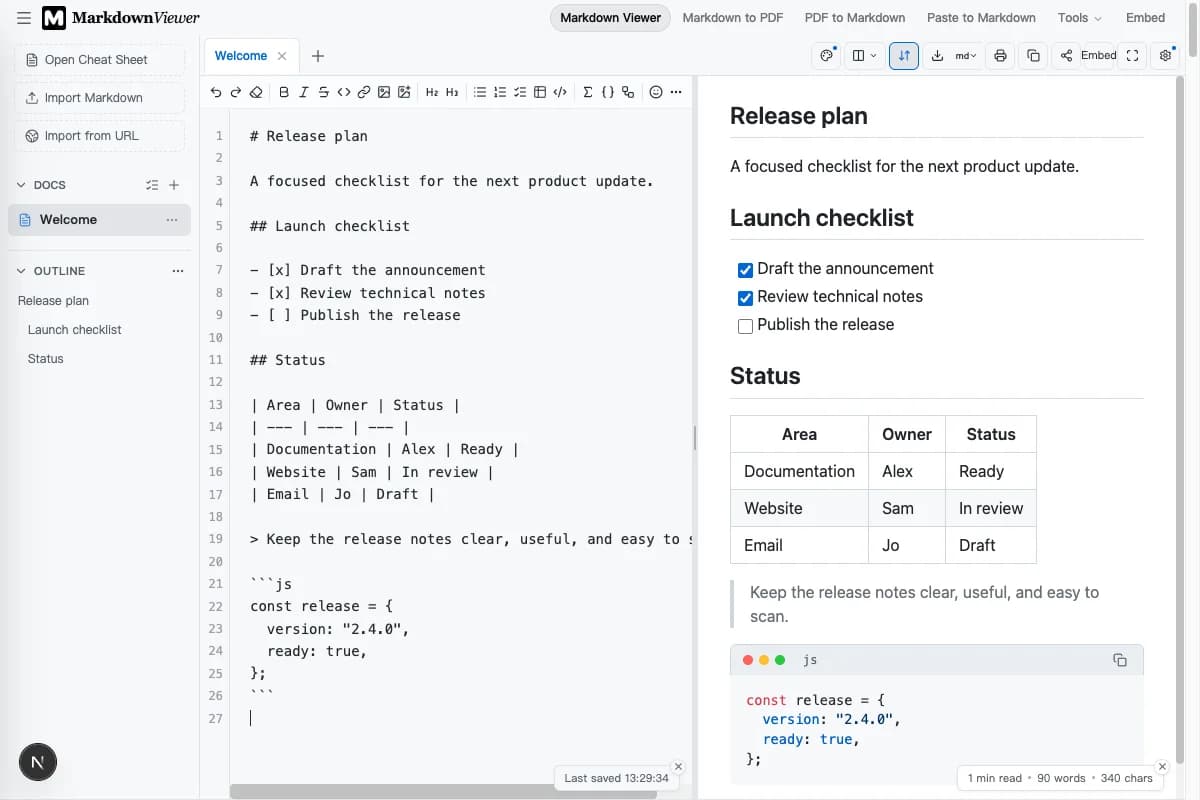
Use Edit, Preview, or Split view while GFM, code, math, and diagrams render. Source and preview stay together while you work.
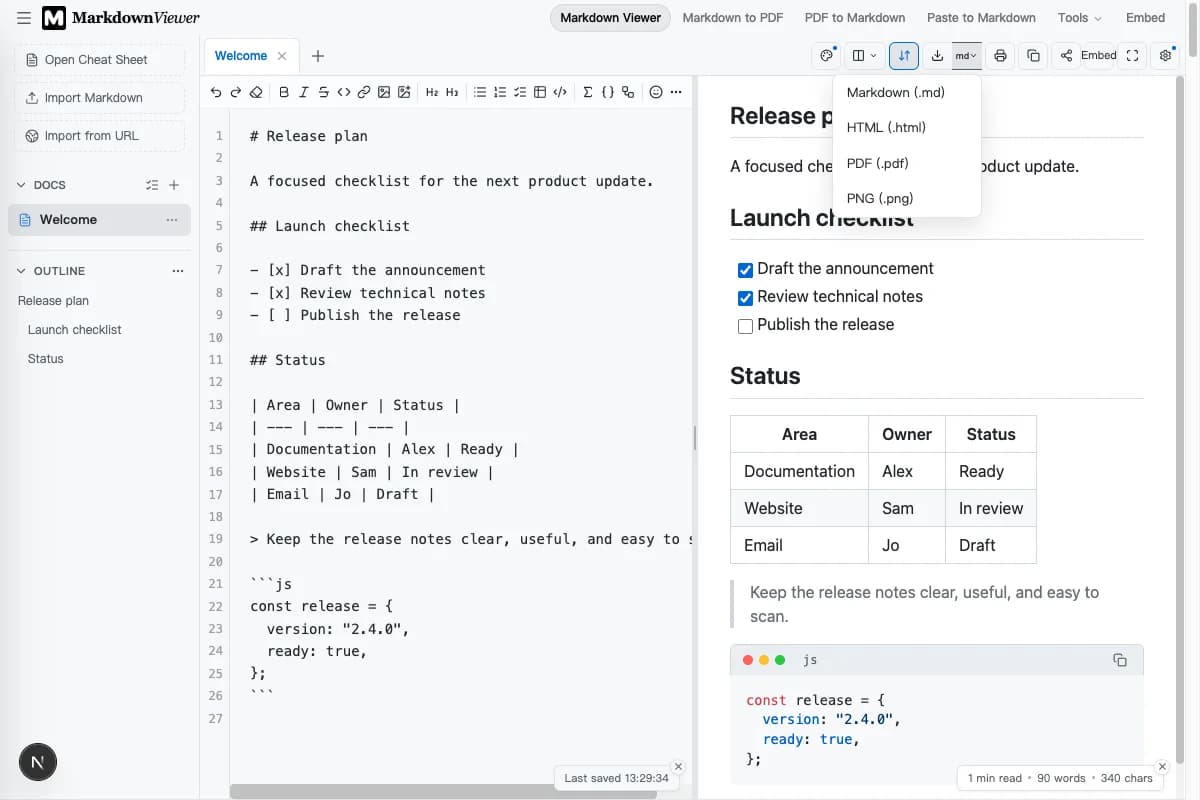
Download Markdown, HTML, PDF, or PNG, print the result, copy rendered HTML, or create a portable share link.
Markdown Viewer is built for work that can stay in the browser. It opens quickly, keeps local drafts close, and still gives you practical ways to publish or share.
Open Markdown Viewer and use the editor, preview, imports, and exports without choosing a paid plan or creating an account.
Normal editing, preview, local auto-save, and export stay on your device. A public URL import only requests the file you choose.
Download Markdown, HTML, PDF, or PNG, print the document, copy rendered HTML, or create a portable share link.
See exactly what the link contains, what the browser sends, and why each recipient gets an independent copy.
Read how private sharing works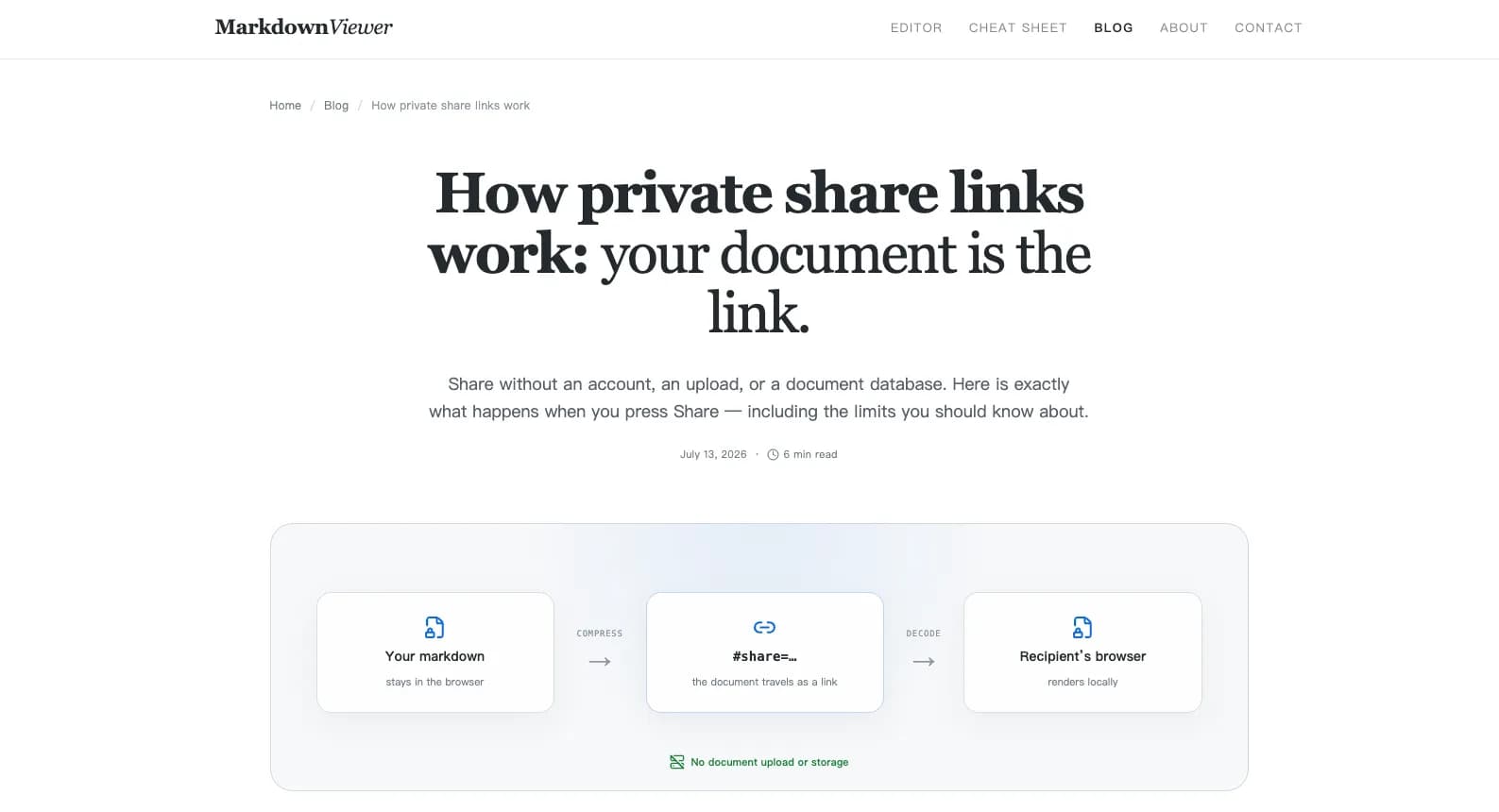
Markdown Viewer fits four common workflows, from quick README checks to long-form drafting and multi-document review.
Draft README files, API notes, and architecture guides with code blocks, tables, and diagrams.
Write structured notes with citations, tables, and inline or display LaTeX equations.
Prepare posts with a reusable preview style, then export HTML or copy the rendered result.
Place drafts, translations, or release notes in columns and scroll them together while reviewing.
Answers about storage, formats, sharing, and mobile use.
Paste or import a document, preview it as you work, and export when it is ready. Markdown Viewer is free to use, requires no sign-up, and keeps normal editing in your browser.