Word to Markdown Structure Mapping
Word to Markdown maps real heading styles, paragraphs, emphasis, links, quotes, lists, and code styles to readable GFM instead of scraping visible text.
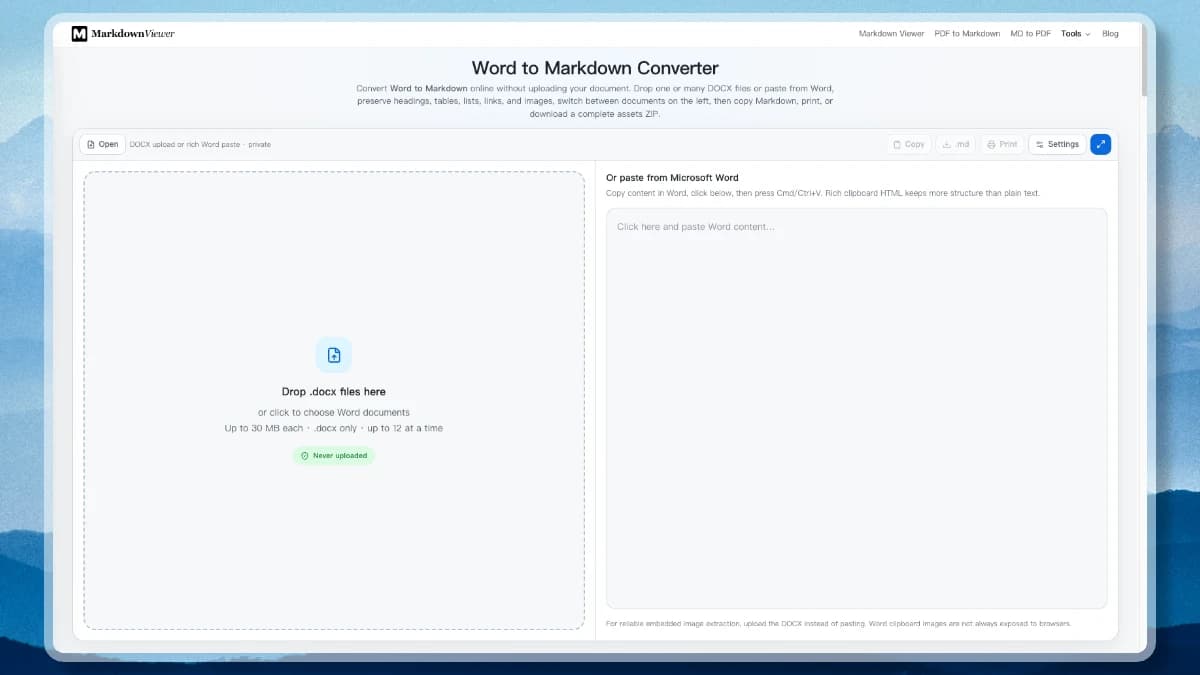
The Word to Markdown converter reads a DOCX file in your browser and rewrites its structure as clean Markdown. Headings, lists, tables, links, and embedded images come across — and the original file never leaves your device.
This Word to Markdown converter preserves document structure and produces portable output for GitHub, knowledge bases, static sites, and AI workflows.
Word to Markdown maps real heading styles, paragraphs, emphasis, links, quotes, lists, and code styles to readable GFM instead of scraping visible text.
Extract embedded images to an assets folder and download one ZIP, embed images as data URLs, or omit them for a text-only result.
Standard Word tables become editable Markdown tables. The converter preserves merged tables as safe HTML when flattening them would lose structure.
Word to Markdown clean mode turns Office structure into compact headings, lists, and tables that are easier to chunk and send to an AI pipeline.
Open up to twelve .docx files, switch between them in the list on the left, close any you are done with, and apply conversion settings to one document or to all of them.
Parsing, image extraction, preview, and ZIP creation run locally after the app loads. The document is not sent to a conversion API or stored by this site.
Word to Markdown reads DOCX styles, relationships, media, and equations, then maps each supported element to portable text.
| In Word or DOCX | In Markdown | Conversion note |
|---|---|---|
| Heading 1 – Heading 6 | # … ###### | Mapped from outline style, not font size |
| Bold / Italic / Strikethrough | **b** _i_ ~~s~~ | Adjacent character runs are merged |
| Hyperlink | [label](url) | The DOCX relationship target is resolved |
| Bulleted and numbered lists | - item / 1. item | Nesting depth is preserved |
| Table | | a | b | | Merged cells can remain safe HTML |
| Inline code / Code style | `code` and fences | Language is kept when tagged |
| Embedded picture |  | Extracted from word/media |
| Equation (OMML) | $E = mc^2$ | Converted to editable LaTeX |
| Blockquote style | > quote | Indent levels are flattened |
Convert Word to Markdown from a DOCX or rich clipboard selection, then review and export the result without installing an app.
Start by choosing a modern .docx file, dragging it into the converter, or pasting rich clipboard content copied from Microsoft Word.
Choose an assets ZIP, embedded images, or text only, then apply cleanup and table rules to one document or the batch.
Review the editable Markdown beside its preview, then copy it, download .md, print, or save Markdown and extracted images as a ZIP.
Markdown is a smaller format than Word on purpose. Knowing what it drops tells you what to check after a conversion — and when to keep the .docx as the source of record.
GFM has no colspan or rowspan, so a merged table is preserved as sanitized HTML instead of being flattened. Turn that option off if your target renderer refuses inline HTML, and expect to rebuild the table by hand.
Comments, tracked changes, footnotes, captions, headers and footers, fields, and text boxes have no Markdown equivalent. Resolve or export them in Word first if they carry meaning.
Binary .doc files must be re-saved as .docx before conversion. For a large or sensitive migration, a scripted local pipeline gives you version pinning, per-file logs, and an audit trail this tab cannot.
Answers about DOCX support, Word paste, images, tables, batch conversion, and privacy.
Drop a DOCX or paste Word content, then download clean Markdown with its assets.
Last updated