Markdown page breaks and the print layout that makes them work.
Markdown has no page-break syntax. Here is the one line that adds one — plus the four page settings that decide where every other break lands.
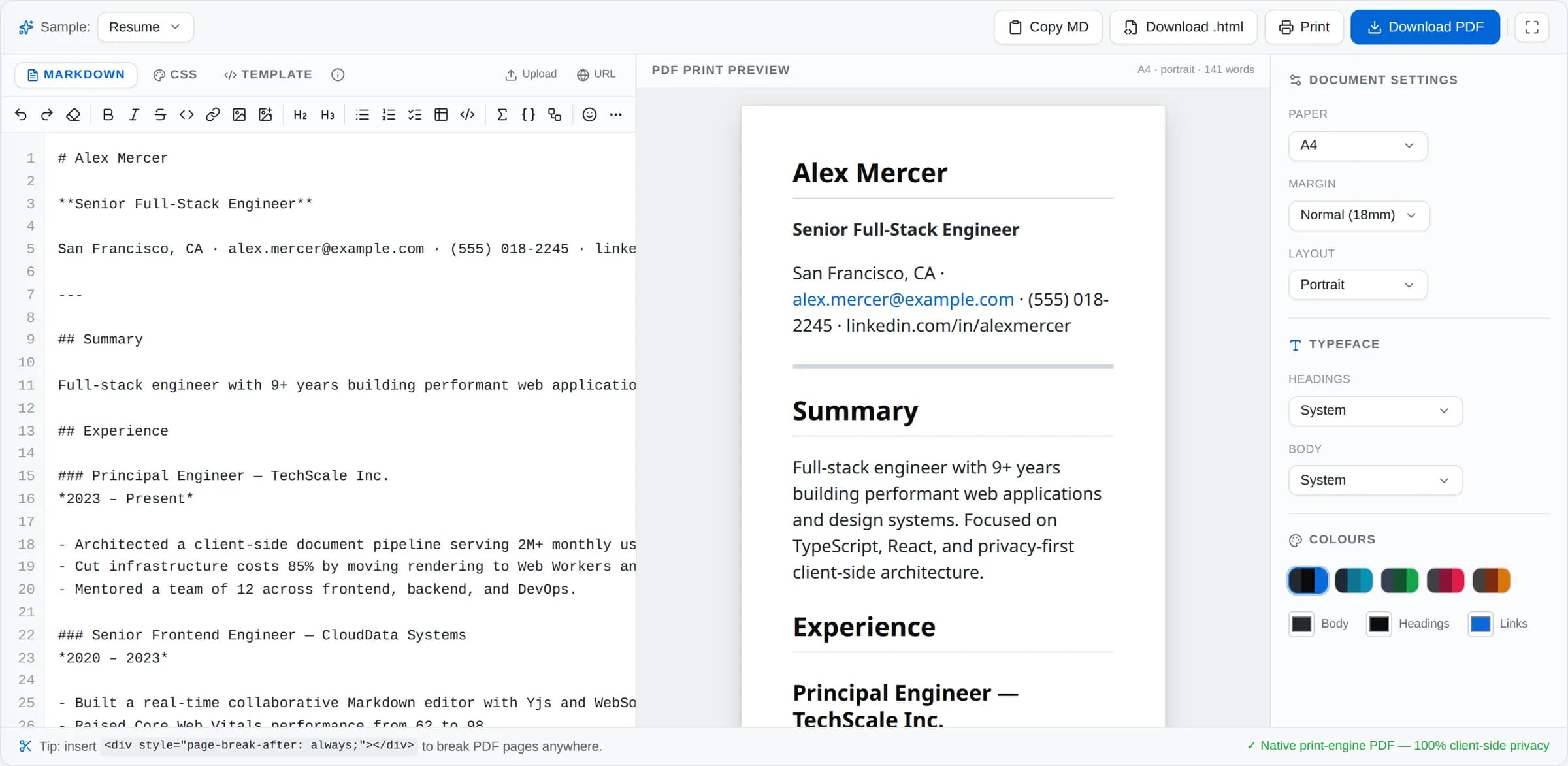
Markdown was designed for the web, where pages are infinitely long and as wide as the window. Paper is neither. That mismatch is why so many Markdown exports come out looking like a webpage that has been photocopied badly — a heading stranded alone at the bottom of page two, a code block sliced in half, an appendix that starts three lines from the foot of a page.
1. Markdown has no page-break syntax. This is the line that does.
This is the part that catches everyone out, so here is the answer first: Markdown has no way to say “new page”. It never needed one. But Markdown passes raw HTML straight through, so you can drop in the CSS that does:
<div style="page-break-after: always;"></div>Put that line immediately before the heading that should open the new page. The Markdown to PDF converter honours these markers when it paginates, so a cover page stays a cover page and “Appendix A” always begins at the top of a sheet.
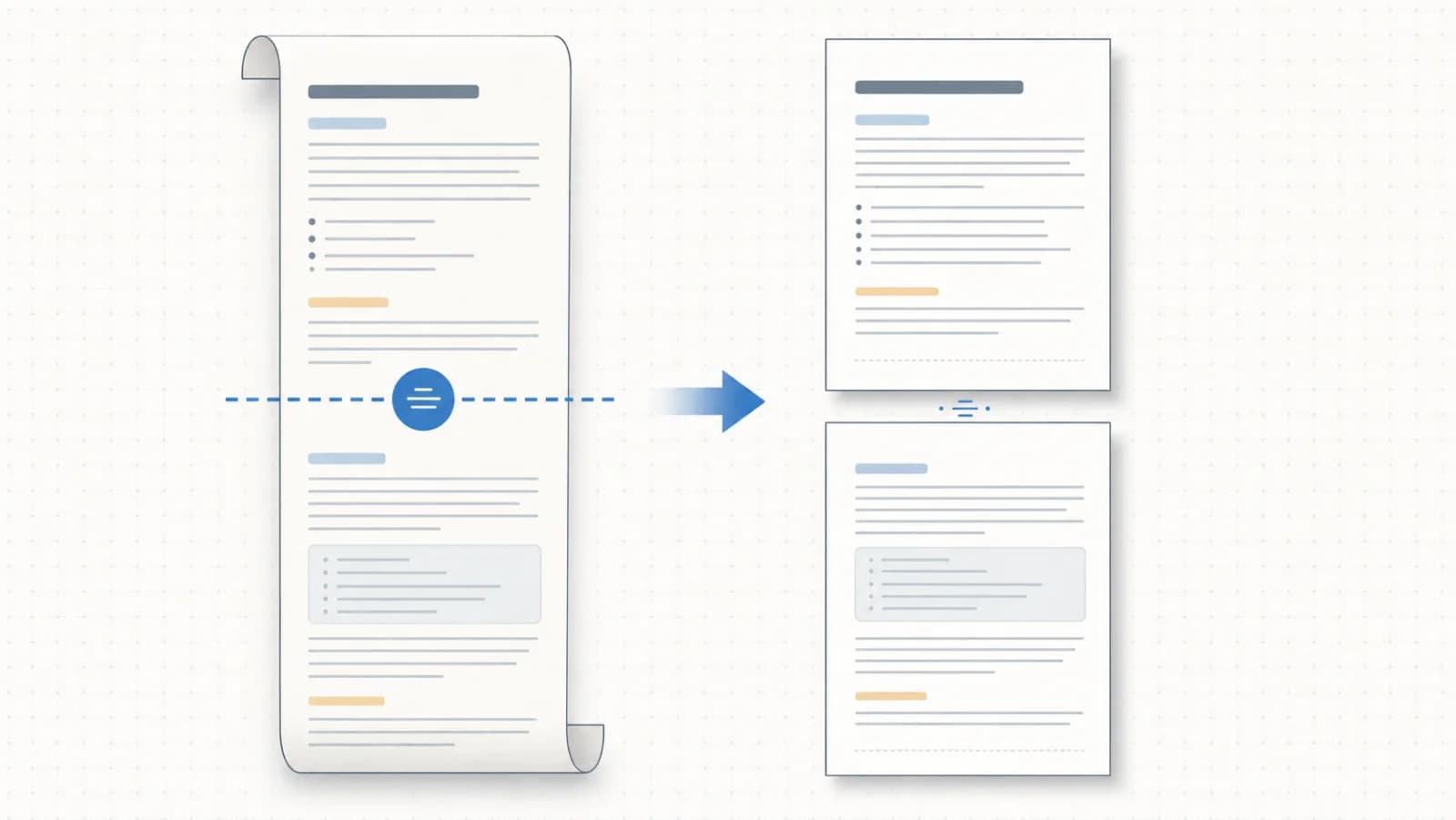
One habit worth forming: before you export, scan the preview for any heading sitting alone at the bottom of a page, and push it over with a break. It takes about thirty seconds, and it is the clearest single signal between a document that was exported and one that was prepared.
2. A break only helps if the page is the right size
Page breaks are relative to the page, so the page has to be settled first — move from A4 to Letter afterwards and every manual break you placed lands somewhere slightly different.
Set paper size and orientation before you start placing breaks: A4, US Letter or Legal, portrait or landscape. Pick your reader’s paper, not yours — A4 for most of the world, Letter for the United States and Canada. A document laid out for the wrong one gets silently rescaled at print time, and every margin you carefully set drifts.
Landscape is worth remembering for documents that are mostly wide tables or diagrams; it is usually a better answer than shrinking the font until things fit.
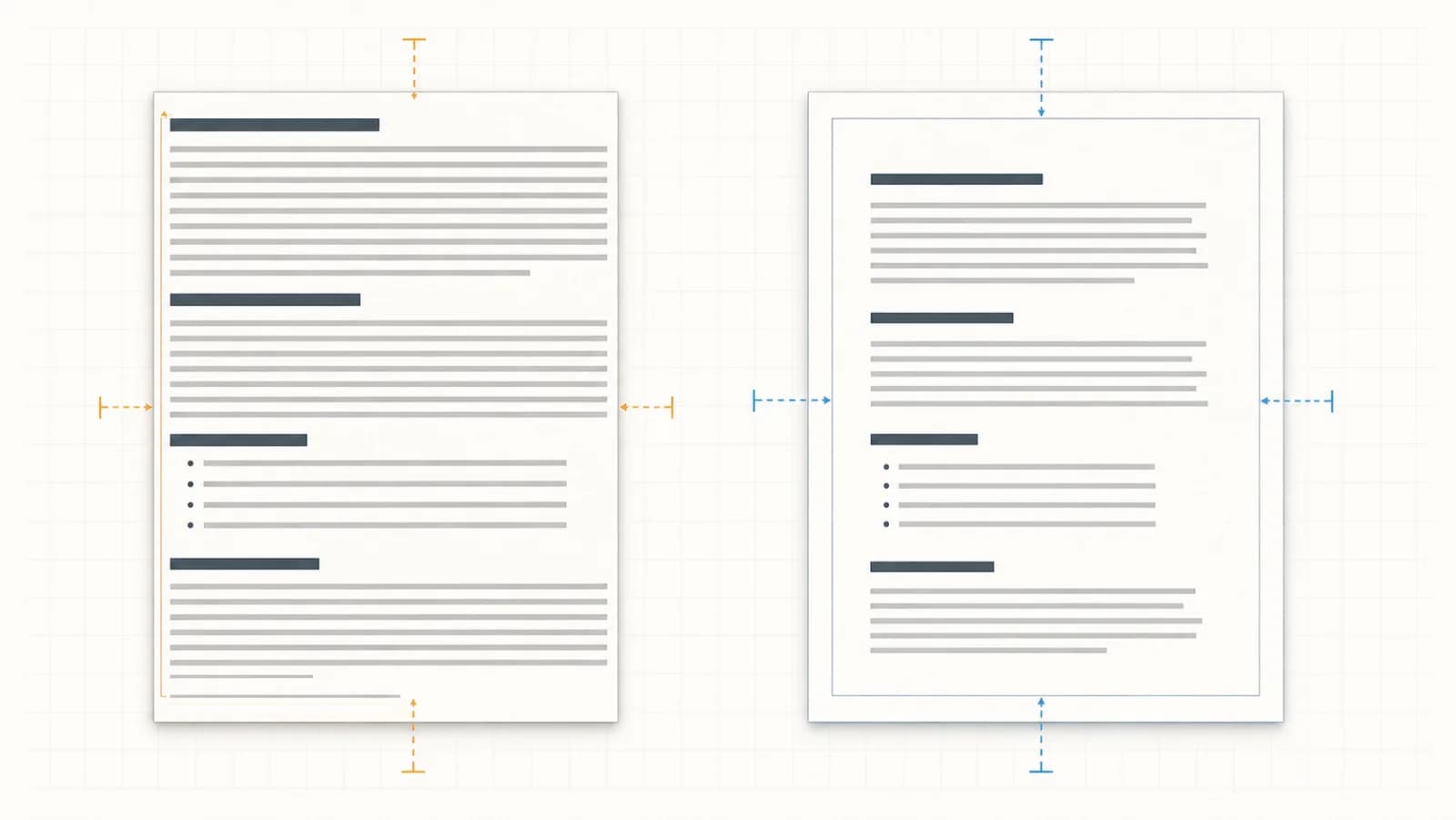
3. Margins: the fastest fix for “this looks like a webpage”
Three presets, and they are genuinely different documents:
- Compact (10mm) — maximum content per page. Right for internal reference sheets and things nobody prints.
- Normal (18mm) — the safe default. Right for reports, proposals and anything you are sending outside the team.
- Wide (25mm) — generous white space that reads as considered and leaves room for pen notes. Right for anything someone will actually mark up.
If an export ever feels cramped and you cannot say why, it is almost always the margins rather than the font.
4. Typeface and brand colour
The default monospace-ish web look is fine on screen and wrong on paper. Set the typeface for the body text — a serif reads more comfortably at length in print, which is why books use them — and set an accent colour for headings and links so the document belongs to your organisation rather than to a converter’s defaults.
If you need to go further, there is a custom CSS panel and an editable HTML template, so a letterhead, a specific heading scale or a fixed table style is all possible. Most documents never need it — but a template you use every week is worth setting up once.
5. Check the content that usually goes wrong
Four kinds of content account for nearly every bad Markdown PDF. All four are handled, but they are worth looking at in the preview before you send:
- Tables — GFM tables carry their borders and alignment through. Wide ones are the main argument for landscape.
- Code blocks — syntax highlighting is preserved, and long lines are the thing to check, since paper cannot scroll sideways.
- Maths — LaTeX formulas are typeset properly rather than left as raw
$…$text. - Diagrams — Mermaid diagrams are drawn before the page is produced, so they arrive as diagrams, not blank space.
Two ways out
Download PDF produces the file directly, honouring every setting above. Print hands the laid-out document to your browser’s own print dialog, which is the better route when you want your operating system’s PDF engine, a real printer, or duplex and scaling options.
You can also export HTML — useful when the destination is an email or a CMS rather than paper — or bring a document in by uploading a .md file or loading one from a URL.
No watermark, no upload
The whole conversion runs inside your browser tab. There is no upload step, no queue, no watermark and no page cap — and, more to the point, no copy of your document on someone else’s server. That is the difference that matters for a contract, an invoice, a payslip or a medical note, which are exactly the documents people most often paste into free online converters without thinking.
Frequently asked questions
How do I add a page break in Markdown?
Markdown has no page-break syntax, because it was never designed for print. Drop this HTML line where you want the split instead: <div style="page-break-after: always;"></div>. Markdown passes raw HTML straight through, and the exporter honours it, so a section can always start on a fresh page.
Why does my Markdown PDF look nothing like the preview elsewhere?
Most converters render your document at screen width and then squeeze the result onto a page, so margins drift and headings land in the wrong place. Setting paper size and margins before you export means the preview is already laid out at true page width — what you see is the page you get.
Do maths formulas and Mermaid diagrams survive the export?
Yes. LaTeX formulas and Mermaid diagrams are rendered before the page is produced, so they arrive as part of the layout rather than as missing boxes — including in the printed output.
Is there a watermark or a page limit?
No watermark, no page limit, and no sign-up. The conversion runs in your browser, so there is no server-side quota to meter.
Is my document uploaded to convert it?
No. The document is laid out and exported inside your browser tab, which is what makes this usable for contracts, payslips, medical notes and anything else you should not be posting to a random conversion site.