DOCX to Markdown Reads the OOXML
DOCX to Markdown unpacks document.xml, the style table, and the relationship map, so a real Heading 2 becomes ## instead of a guess based on font size.
Convert DOCX to Markdown privately in your browser. Keep Word headings, tables, nested lists, links, equations, and embedded images, then copy Markdown or download an assets ZIP.
For reliable embedded image extraction, open the .docx rather than pasting — Word clipboard images are not always exposed to browsers.
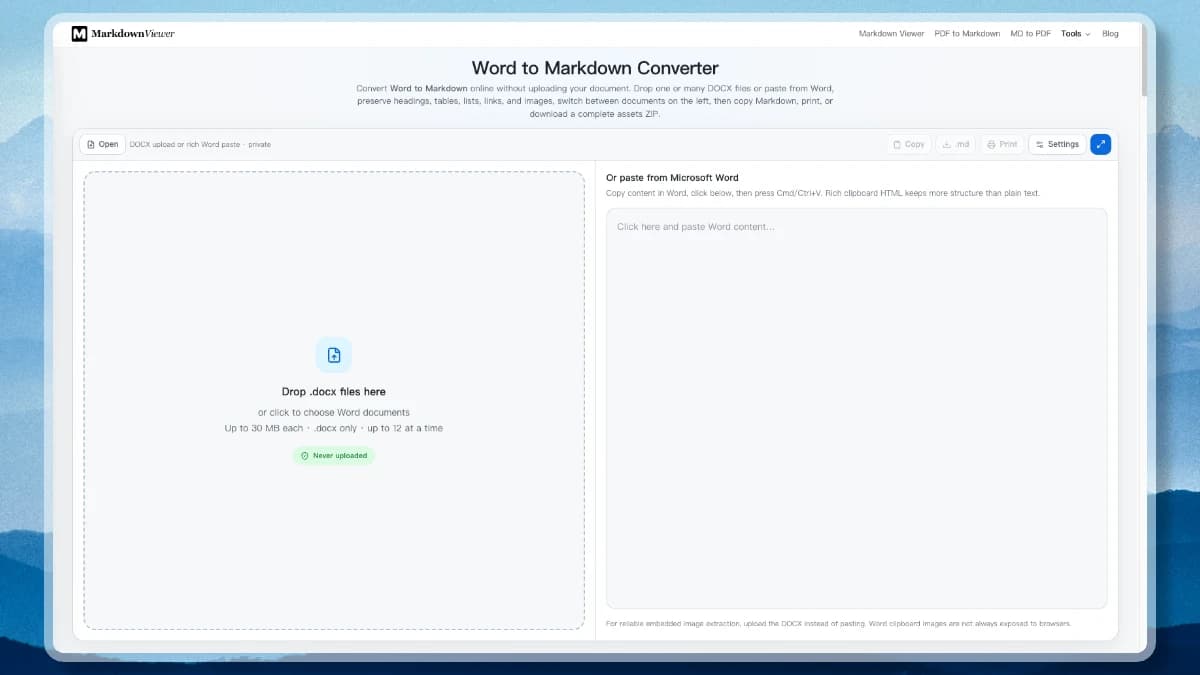
A docx to markdown conversion is a structural translation, not a copy-and-paste. Underneath its extension, a .docx file is a ZIP archive holding XML: the text, a separate style table, a relationship map, and a media folder. This converter opens all of it in your browser and rebuilds the document as plain text.
Word documents in the wild have merged table cells, numbered headings, pasted screenshots and equations. These are the parts a naive docx to markdown converter loses first.
DOCX to Markdown unpacks document.xml, the style table, and the relationship map, so a real Heading 2 becomes ## instead of a guess based on font size.
Word outline levels land on the matching Markdown hierarchy, so the converted file keeps a valid document tree that Docusaurus sidebars, Hugo tables of contents, and Obsidian outlines can read.
Images stored in word/media are written out as assets/image-001.png with matching  references, embedded as data URLs for one portable file, or dropped for a text-only result.
Ordinary Word tables become GFM pipe tables. Nested numbered and bulleted lists keep their depth. Merged cells stay as sanitized HTML, because pipe syntax has no rowspan to convert them into.
Word's native equation format is converted to $…$ and $$…$$ LaTeX, so formulas survive as editable text rather than turning into blank space or a flattened picture.
Strips document chrome and style noise down to headings, lists, and tables. The result chunks predictably and costs far fewer tokens than raw Office XML pushed through an extraction service.
Drop a folder's worth of files, switch between them in the list on the left, and apply one rule set to a single document or to the whole batch at once.
Split view scrolls the generated Markdown next to its rendered form so you can spot a broken table or a lost heading before the file reaches your repository.
Unzipping, XML parsing, image extraction, and ZIP packaging happen on your device. For contracts, HR files, and anything under NDA, the document never reaches a conversion queue.
The exact docx to markdown mapping, so you know what to check after converting rather than reading the whole file twice.
| In the .docx | In the Markdown | Notes |
|---|---|---|
| Heading 1 – Heading 6 | # … ###### | Outline level, not font size |
| Bold / Italic / Strikethrough | **b** _i_ ~~s~~ | Character runs merged |
| Hyperlink | [label](url) | Relationship target resolved |
| Bulleted & numbered lists | - item / 1. item | Nesting depth preserved |
| Table | | a | b | | Merged cells kept as HTML |
| Inline code / Code style | `code` and fences | Language kept when tagged |
| Embedded picture |  | Extracted from word/media |
| Equation (OMML) | $E = mc^2$ | Converted to LaTeX |
| Blockquote style | > quote | Indent level flattened |
From a Word file to committed Markdown with its images, without installing a desktop converter or signing up for anything.
Drag one or more Word files onto the converter, or use Open. Modern .docx is required — the legacy binary .doc format has to be re-saved in Word or LibreOffice first.
Choose an assets folder, inline data URLs, or no images at all, then set link handling, clean mode, and merged-table behaviour. Apply the settings to the current file or to every open document.
Review the output in split view, then copy it, save a single .md, print it, or download Markdown and its extracted images together as one ZIP ready to commit.
This page stays at the format level. Two neighbours pick up where it stops.
The same converter written without the OOXML detail: legacy .doc files, Google Docs and Pages exports, pasting from Word, and what to do when a table comes out wrong.
Build a real Office Open XML file from Markdown — Heading 1–6 styles, native tables, a working table-of-contents field, and LaTeX as editable equations.
Straight answers on images, equations, tables, legacy .doc files, Pandoc, conversion limits, and document privacy.
Scroll back to the converter, drop a Word file, choose how images are handled, and download clean Markdown with its assets.